How it works
From registration to results — one tool for the whole season.
Three phases. One account. The same software handles the eight weeks before the race, the four hours of the race, and the days after — so you're not stitching spreadsheets, group texts, and a printer that hates you.
01In the weeks before
Before race day.
Registration opens. Classes lock in. The schedule writes itself.
- Open registration with one link. Parents register from a phone in about ninety seconds. Returning racers see last year's car and just confirm.
- Collect your entry fee at signup. Set a fee on the event and parents pay by card as they register — no checks to chase, no payment-app screenshots to reconcile. Your group receives the full fee, and cash at the door still works.
- Announcements reach every parent. Weigh-in time changed, gym entrance moved, what to bring race morning — email and in-app, no group-text chain to manage.
- Invite your staff and judges by email. They accept with one tap and arrive on race day with their duty ready — no training session required.
- When entries close, the schedule builds itself. Heats balanced across lanes, classes grouped, byes handled. Hand-edit anything — most chairs don't need to.
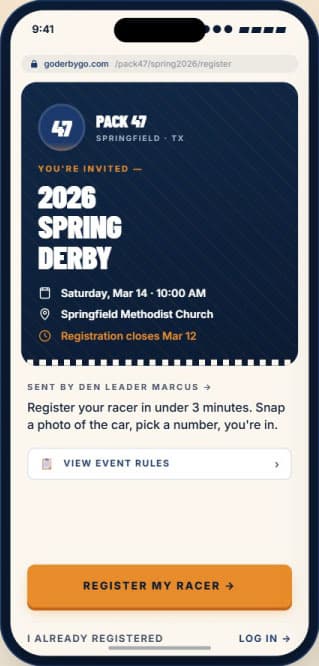
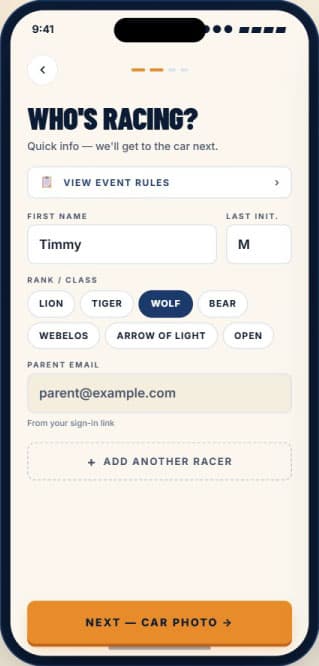
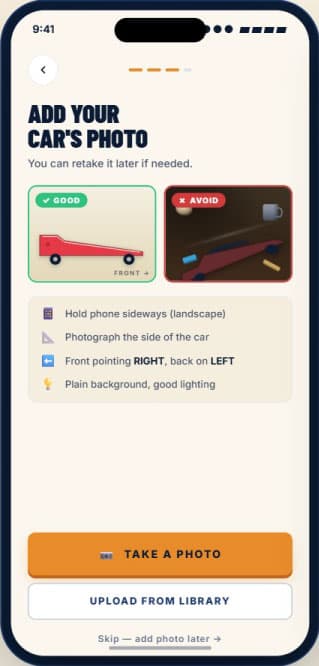
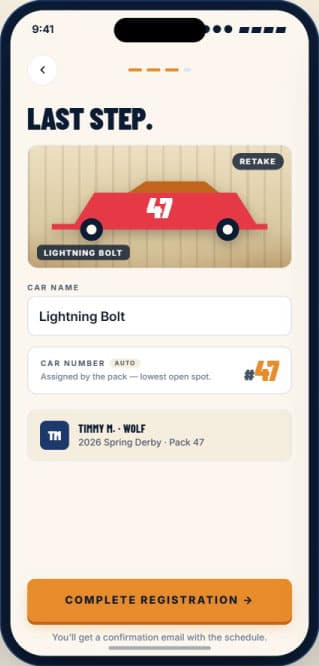
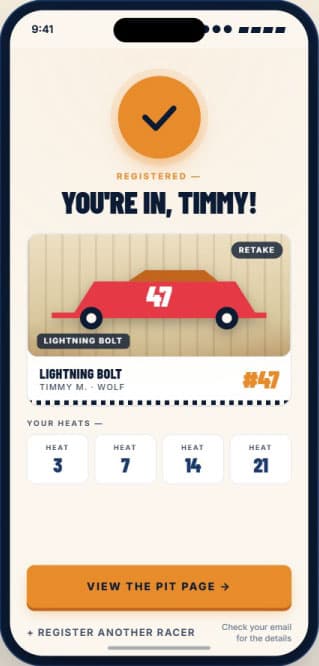
Parents register from a phone in about ninety seconds
02Saturday morning
On race day.
Check-in is five minutes. The rest runs from one screen — and the whole gym can follow along.
Admin panel
- Live timing flows in automatically. From a connected timer over USB / Web Serial, or wirelessly from the Link.
- Results post and the schedule advances. Each heat closes and the next one is up — on its own.
- Timer trouble? Drop to manual entry. Without leaving the page. The schedule keeps going; the night doesn't stop.
- Run it from a laptop — or a phone. With the Link, the operator needs no computer at the track.
Staff views
- Check-in. Weigh in, inspect, confirm — the line keeps moving.
- Track operator. Stage cars and run each heat from one screen.
- Media. Capture car photos, race photos, and video for the results.
- Crowd control. Drive what the projector shows, from a phone.
Crowd view
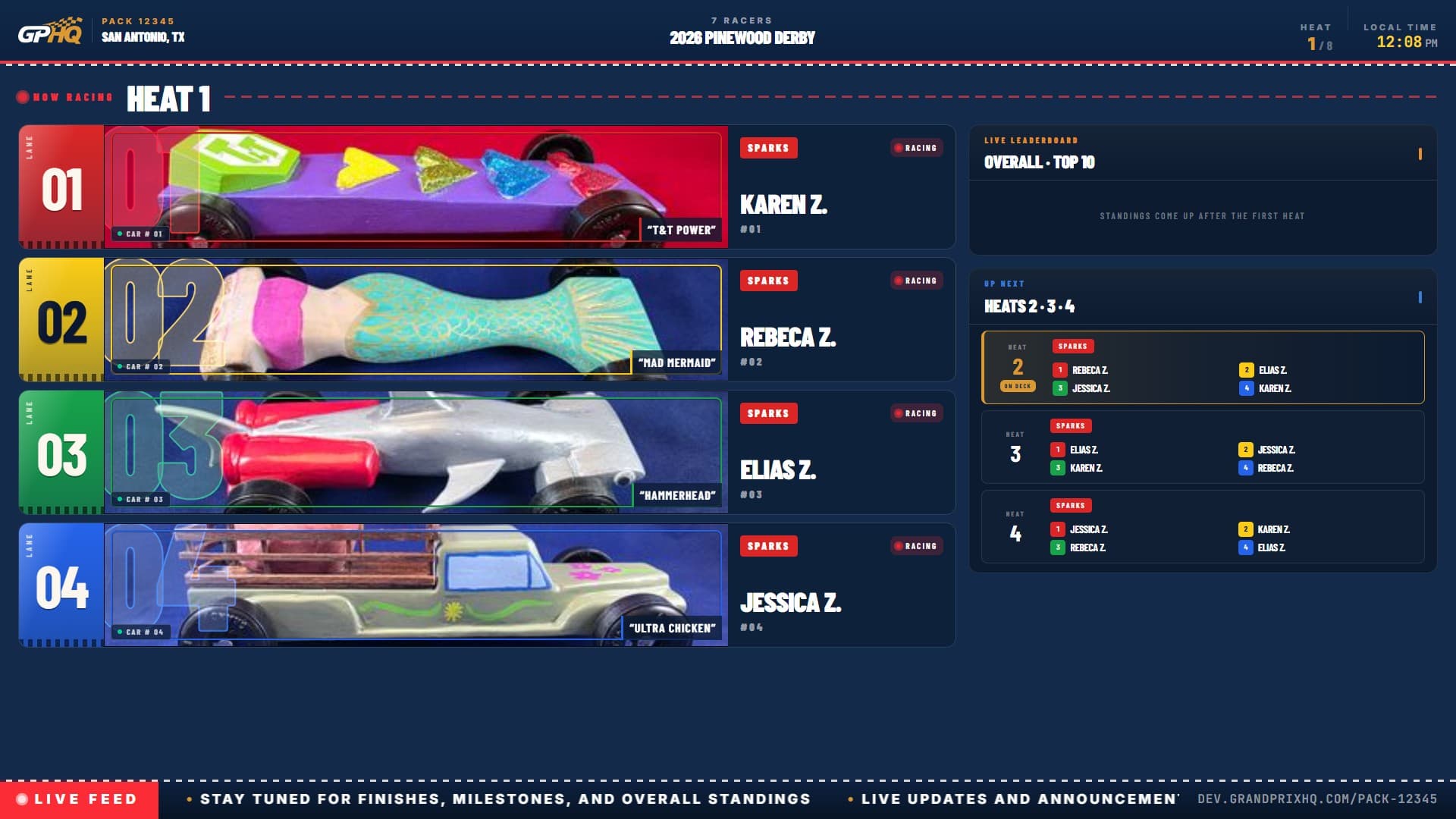
- The projector shows the current race. Names, lanes, and a leaderboard the whole gym can read from across the room.
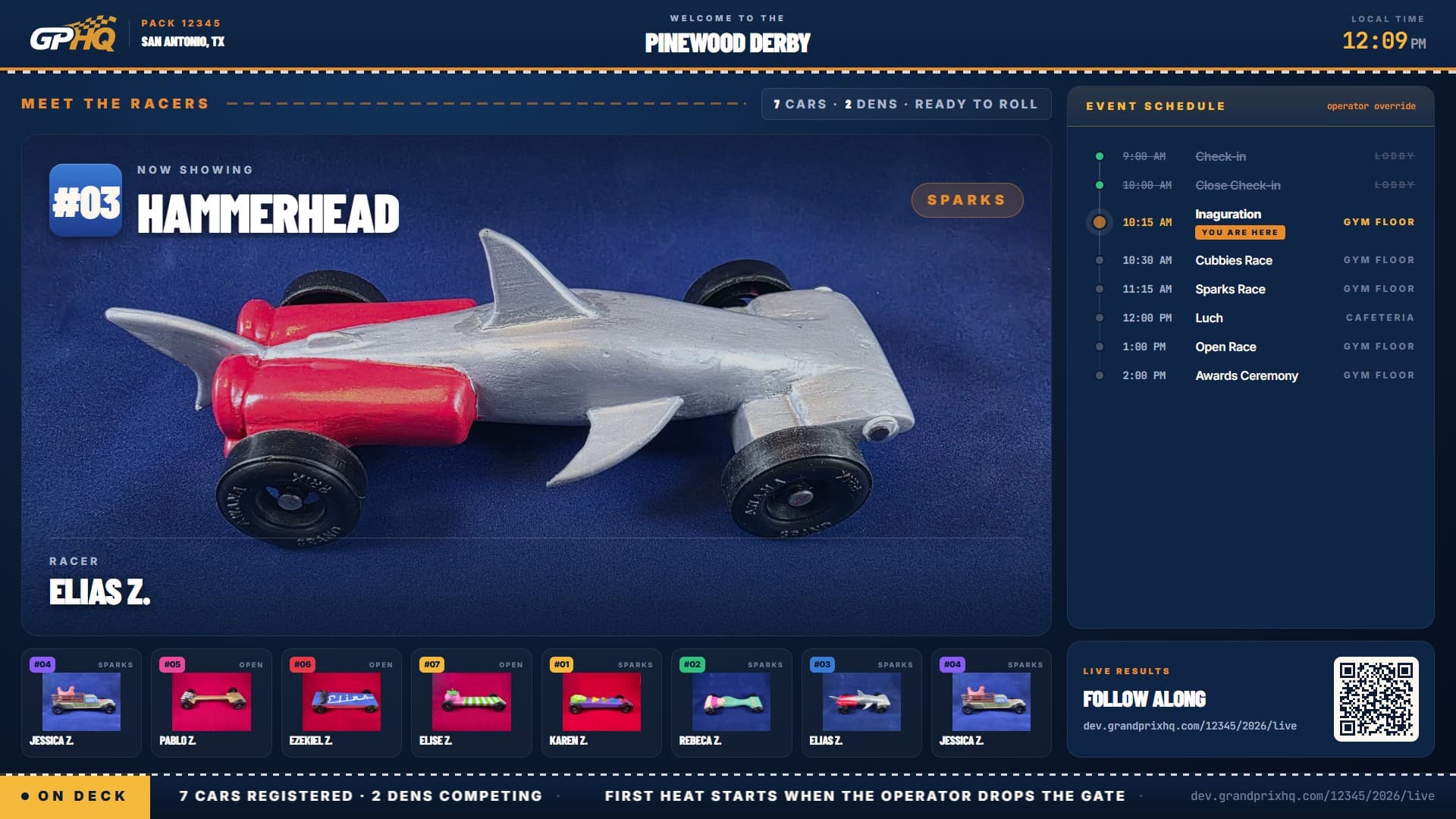
- Pre-race and intermission modes. A meet-the-racers carousel before the start; den standings on the break.
- Awards, revealed one place at a time. Third, then second, then first — for each class and the overall — plus judged awards like Best Design. You pace the reveal from your phone while the room watches.
Public live link
- Follow live from the stands or the couch. Anyone with the link sees the same race on their own phone.
- No app to install. It's a web link. Tap and watch.
grandprixhq.com/pack-1234/live
grandprixhq.com/pack-1234/live
grandprixhq.com/pack-1234/live

The projector view — live, pre-race, and awards
03Sunday at home
After race day.
Results are already live. The recap writes itself.
- The public results page is live instantly. The moment the last heat ends — no export, no upload.
- Share results down to the heat. Parents text a heat's link to the family chat, where the photos and video your media team added show up too.
- Next year, racers return with a click. Their fastest car is on file, their sibling rivalry documented. Your group's history stays yours.
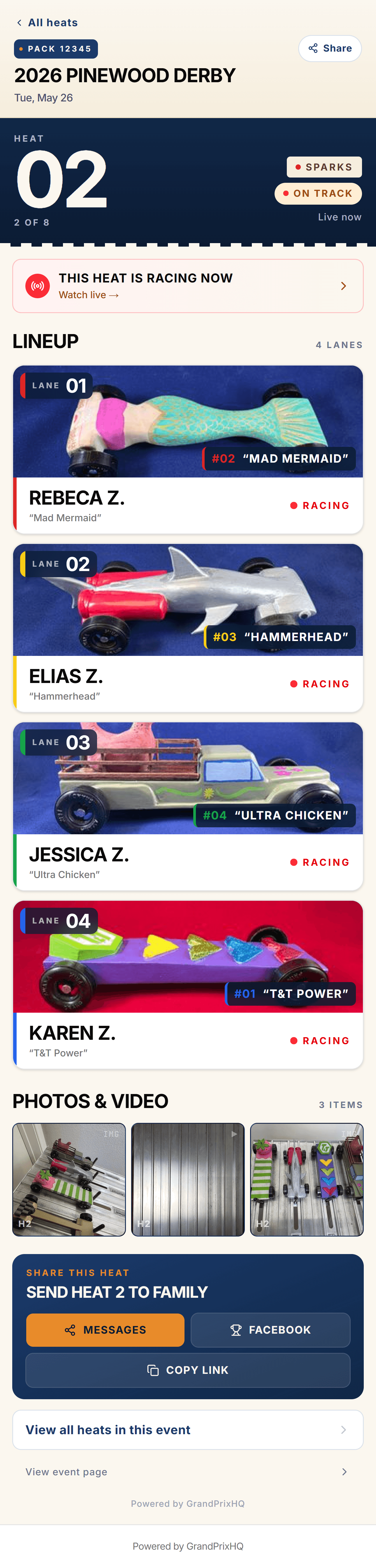
Per-heat page on a phone — one link parents can share
Ready to run your next race with GrandPrixHQ?
Set up an account in five minutes. Run one race, a whole season, or every season after — all on the free plan if that's what you need.